Video Compressor
Compress large videos to the size you actually need — then send them anywhere.
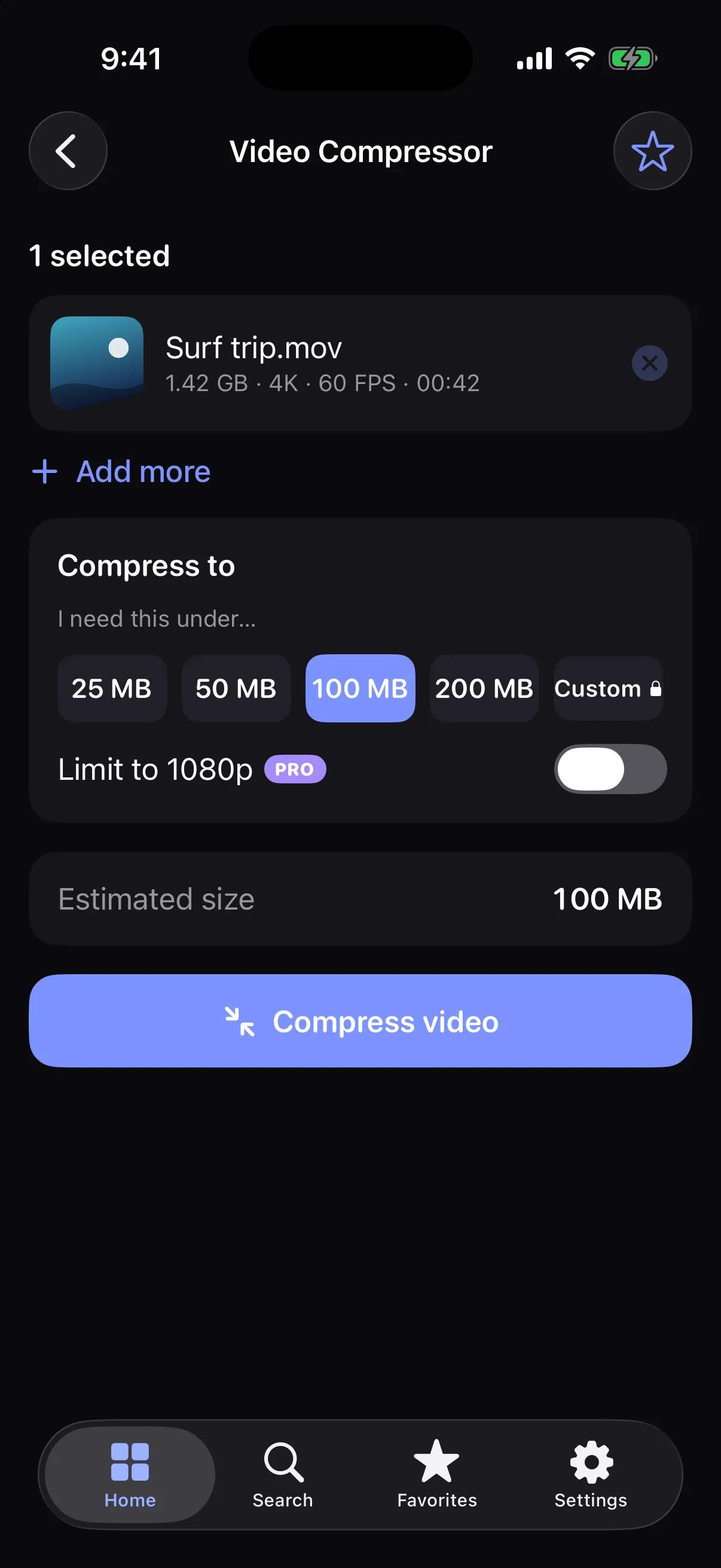
Pro option: Custom target size and 1080p limit. Everything else is free.
How it works
- 1
Choose a video from Photos or Files.
- 2
Pick a target: 25, 50, 100 or 200 MB.
- 3
Save or share the smaller video.
Highlights
- Target-size compression, not obscure bitrate settings
- See the estimated size before you start
- Progress, cancel and retry for every file
- H.264 video with AAC audio
Supported formats
- Input
- MP4, MOV, M4V and other formats your device can play
- Output
- MP4 (H.264 video, AAC audio)
Results depend on the video. Very detailed footage may be reduced in resolution to reach a small target.
Processed on your device — your files aren’t uploaded.
FAQ
Can I choose the exact size?
Pick 25, 50, 100 or 200 MB. A custom target size is available with Pro. The app iterates until the result fits under your target.
Is my video uploaded to compress it?
No. Videos are compressed on your device, so they work offline too.
What if my video is already small?
The app tells you, and compresses it only a little.
Related tools
Get Video Compressor — and 22 more tools.
One app for your everyday file tasks. Free to try.