Citation & Reference Formatter
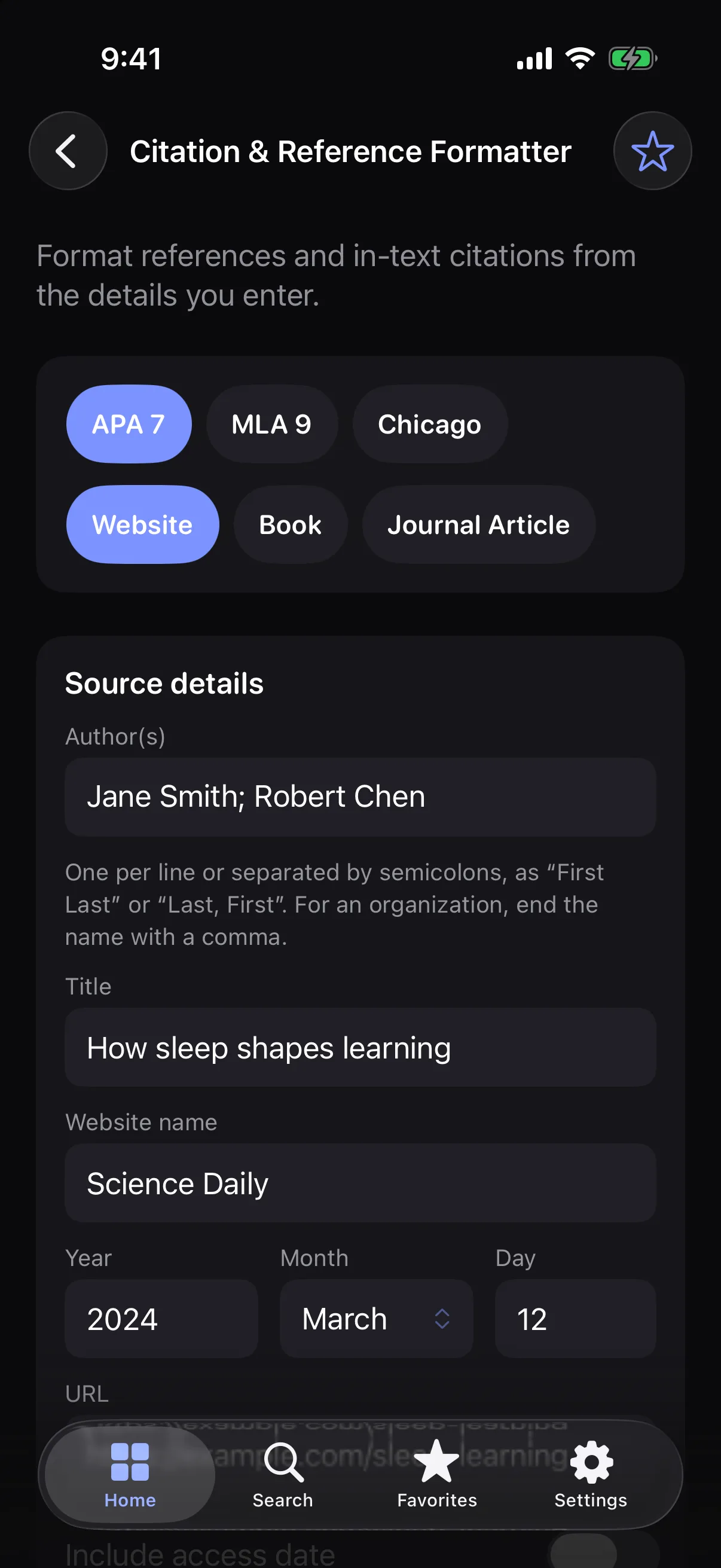
Format references and in-text citations in APA 7, MLA 9 or Chicago from the details you enter.
How it works
- 1
Pick a style and a source type: website, book or journal article.
- 2
Fill in the details you have.
- 3
Copy the reference and the in-text citation.
Highlights
- APA 7, MLA 9 and Chicago (notes and bibliography)
- Website, book and journal article sources
- In-text citation, or footnote for Chicago
- Copy keeps italics when you paste into Pages or Word
Supported formats
- Input
- Authors, title, site, publisher or journal, dates, pages, DOI and URL
- Output
- A formatted reference and in-text citation
Generated from the information you provide. Always verify citation details before submitting academic work.
Processed on your device — your files aren’t uploaded.
FAQ
Does it look up my source from a URL or DOI?
No. It only formats what you type and fetches nothing from the internet.
Which Chicago style is it?
Notes and bibliography. The reference is the bibliography entry and the in-text citation is the footnote.
Can I trust the result?
It follows each style’s rules for the details you enter, but it can’t check them. Always verify citation details before submitting academic work.
Related tools
Get Citation & Reference Formatter — and 35 more tools.
One app for your everyday file tasks. Free to try.